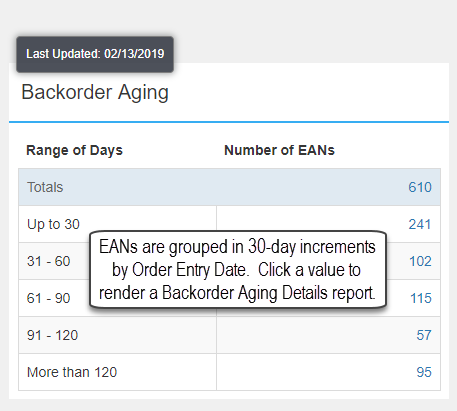
This panel lists the number of EANs on Backorder grouped in 30-day increments up to 120 days by the Order Entry Date. There is also a category of More than 120 days for Backordered EANs. All titles with open Backorders (not committed) are considered but only titles with an active status are included. The number of EANs value is hyper-linked to a Backorder Aging Details report. Click the Total EAN value to render all Backorder Aging details in a report.
Backorder Aging Details
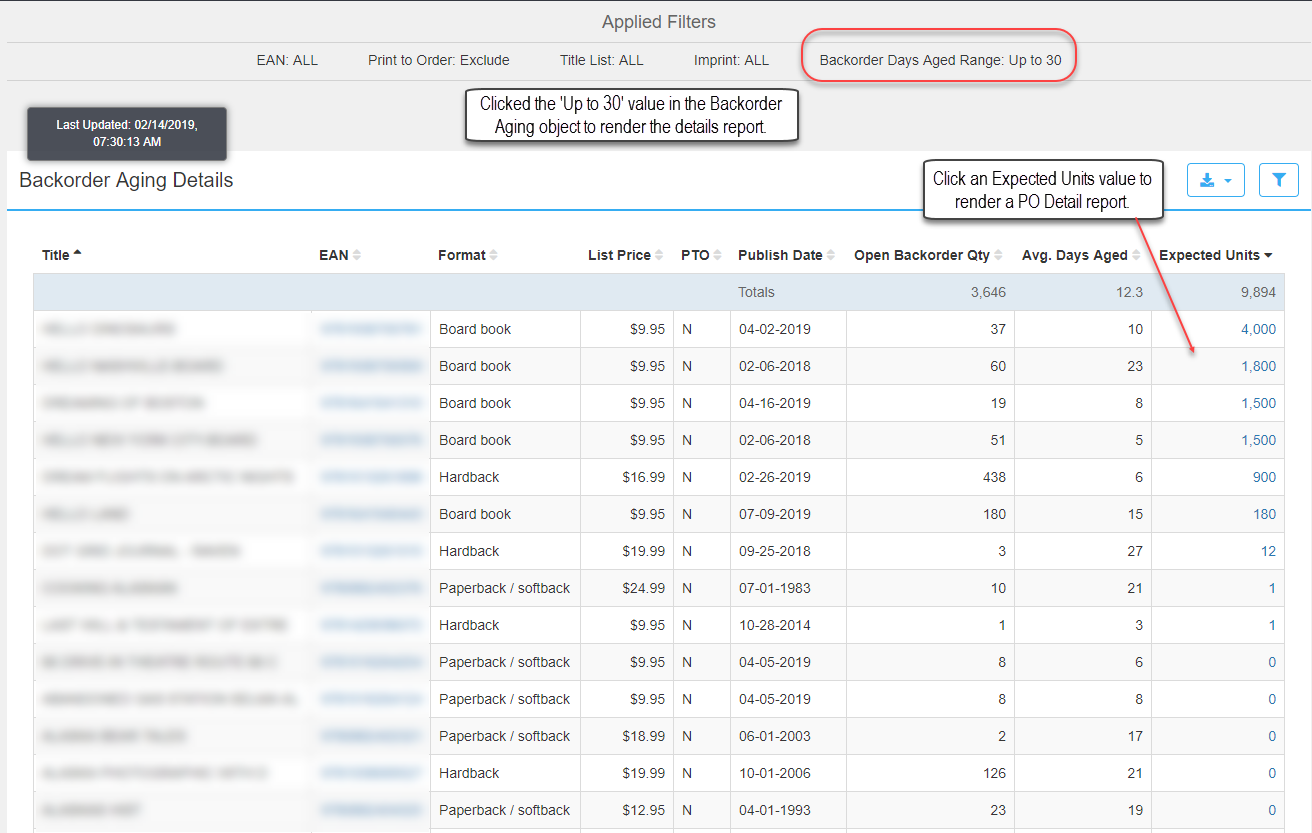
Click a value in the Number of EANs column of the Backorder Aging widget to render the Backorder Aging Details report. Detailed backorder information of individual EANs displays. Click the Filter funnel to refine results which updates the Applied Filters section of the report. Click the Export button to download to Excel or in a CSV (comma separated value) format. Click a value in the Expected Units column to render a PO Detail report.
PO Detail
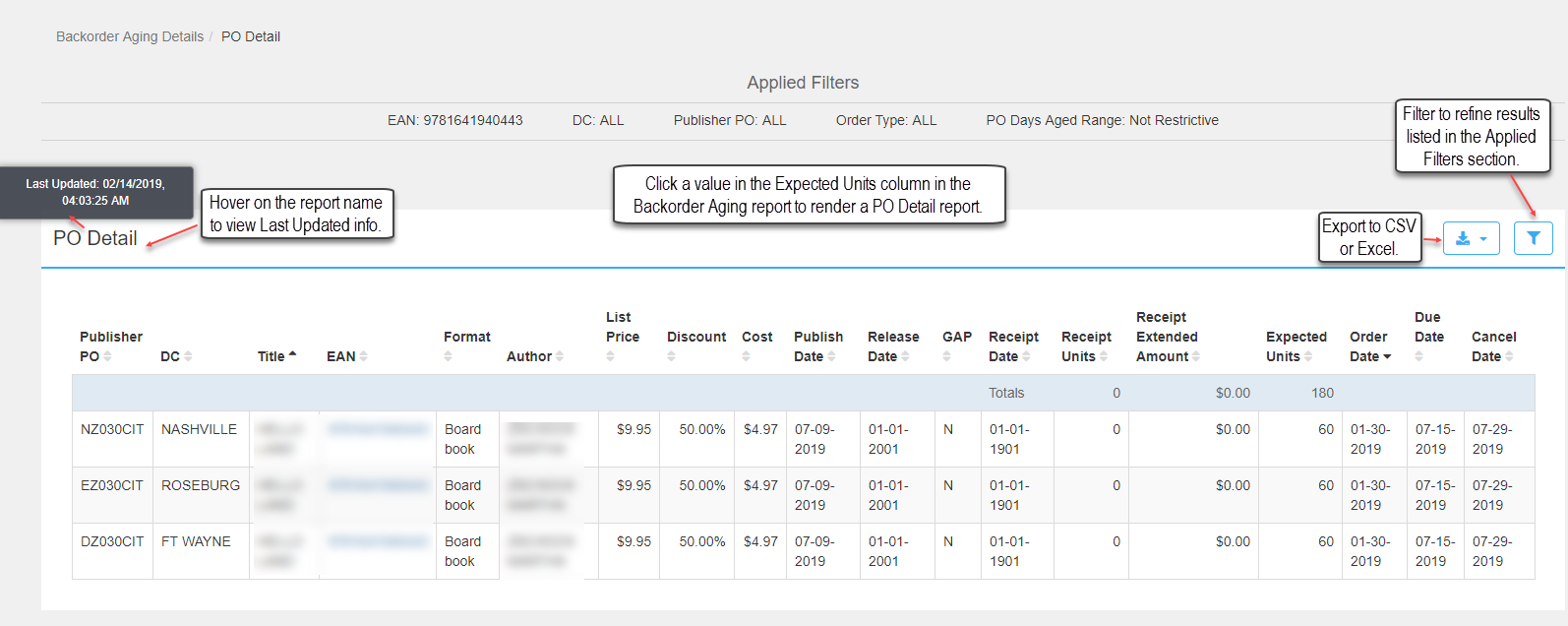
The PO Detail report includes detailed purchase order information for a specific EAN (ISBN). The default filter settings are unrestricted so all DCs, Publisher POs, and days aged display.