View total returns as well as Customer Returns to Publisher, Overstock, Affidavit, and Refused categories in a single panel. Change the timeframe or click through any of the returns categories for a Return Detail report.
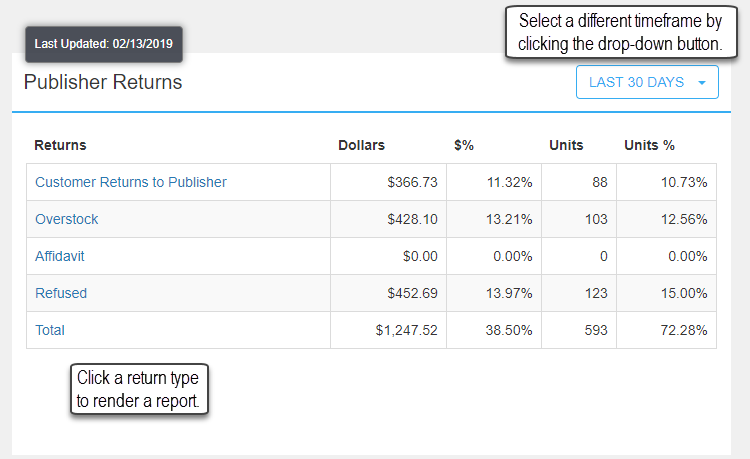
Click a return type to display the Return Detail report. The report renders for the timeframe selected in the Publisher Returns object. The Start and End dates may be filtered as well as the Return Type and DC.
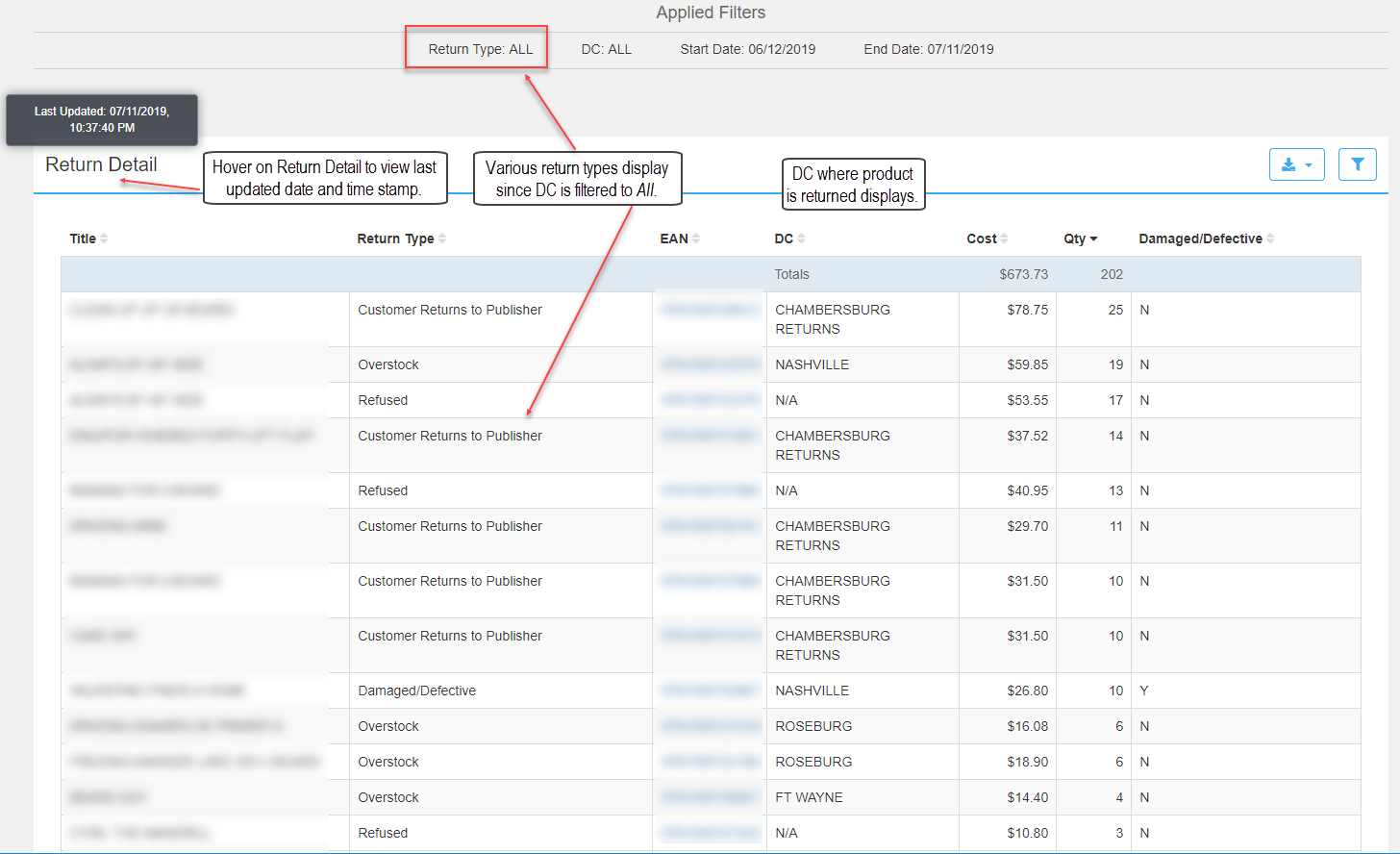
Title: Title
Return Type - Options:
All
Customer Returns to Publisher
Affidavit
Overstock
Refused
Damaged (displays in the report as Damaged/Defective)
DCs:
Chambersburg (displays in the report as Chambersburg Returns)
Ft Wayne
N/A
Nashville
Roseburg
Cost: Cost value in USD.
Qty: Quantity
Damaged/Defective: Y / N flag to indicate if product is damaged or defective.