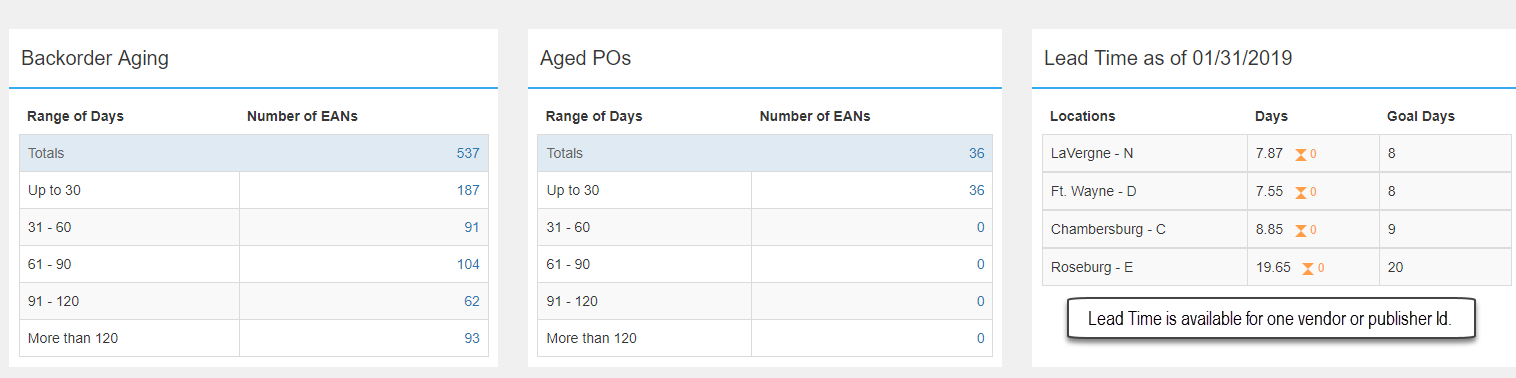
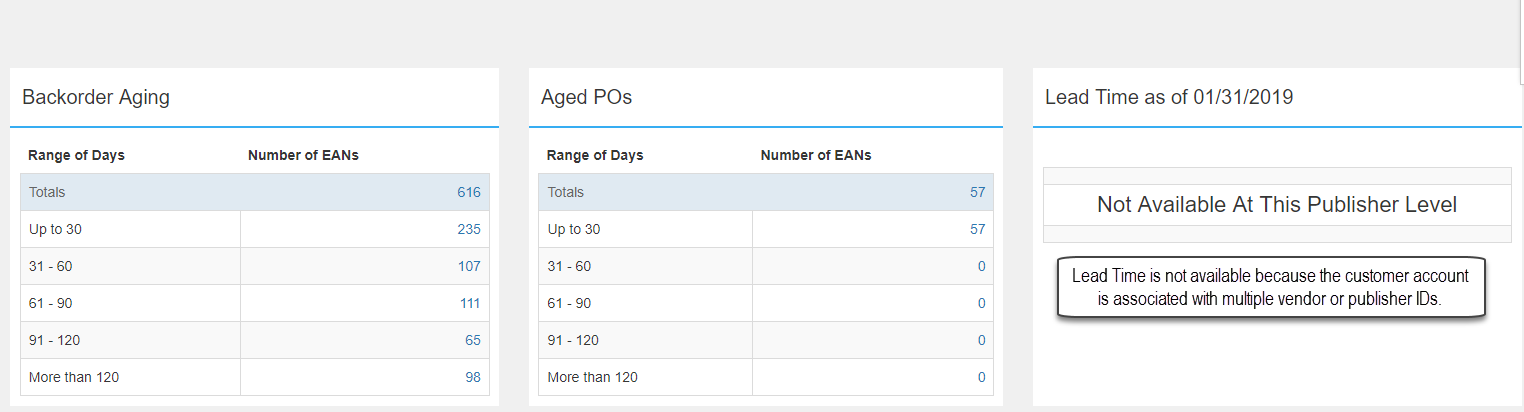
The Lead Time widget on the Operations dashboard is specific to one vendor or publisher account. Customer accounts with multiple vendor or publisher numbers selected cannot display lead time.
To view lead time for a specific vendor, publisher, or imprint, edit the selected publisher IDs via the funnel to the left of your customer account (in the top right corner under your name).
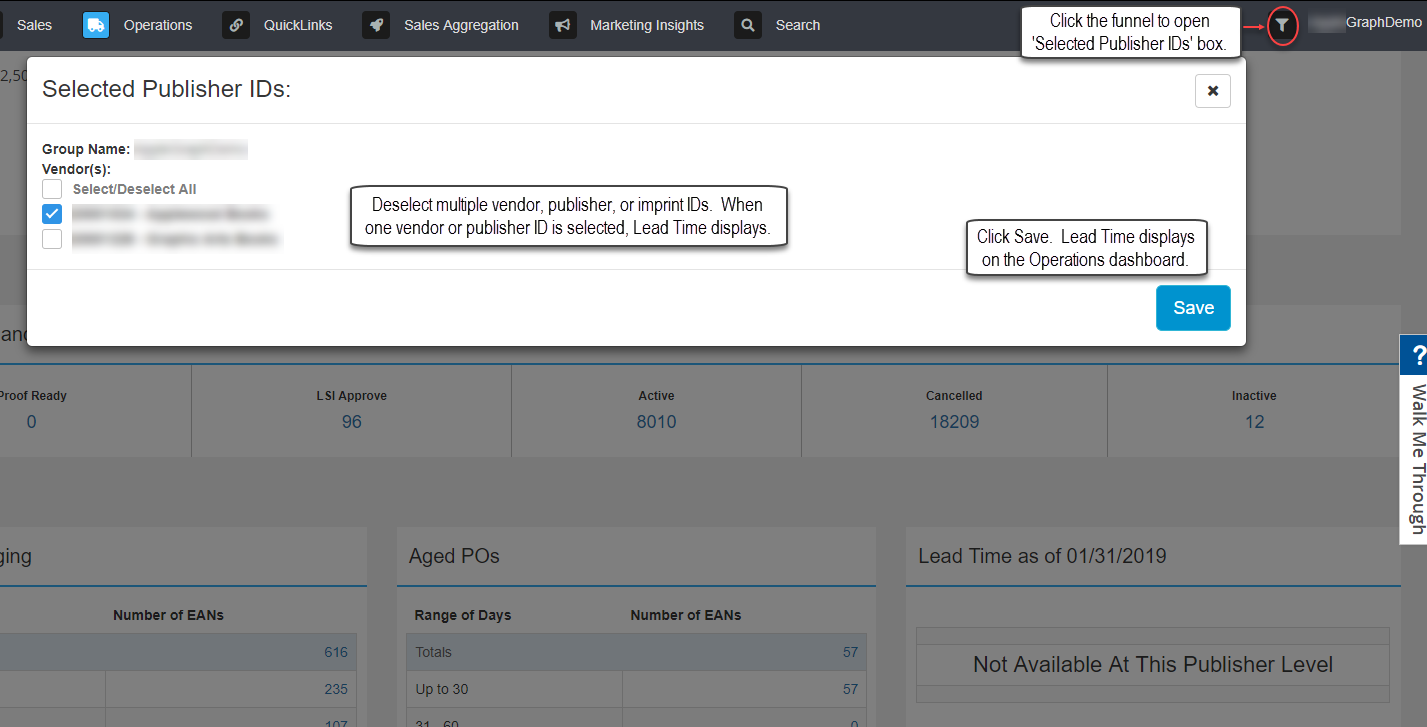
Lead time is available for one vendor or publisher ID at a time. Remember to edit the customer funnel again and Select All for all pub IDs to return results throughout iQ.